
Your documents should remain yours.
Many services let you see your history but give you no way to export it. Habeas runs locally inside your own authenticated browser session, so nothing is sent to a server and your logins are never stored.

Highlights
You may need years of receipts, invoices, bank statements, investment reports or tax documents, but many sites make that history hard to keep.
You can see your receipts or statements on the website, but there is no usable export endpoint for you.
If a PDF exists at all, you often have to open and download every receipt manually.
Cloudflare, Akamai and similar protections make remote scraping brittle or impossible.
GDPR and habeas data support access to your own data, but everyday tooling still falls short.
Three steps, all inside your existing browser session.
Open the site and sign in as you normally would. MFA and OTP work without changes.
Habeas captures the live authenticated requests your browser already makes — the same requests the website itself uses.
Download original files or send them to a folder, cloud storage or app of your choice.
Websites already give you access to your data. Habeas gives you a way to keep it.
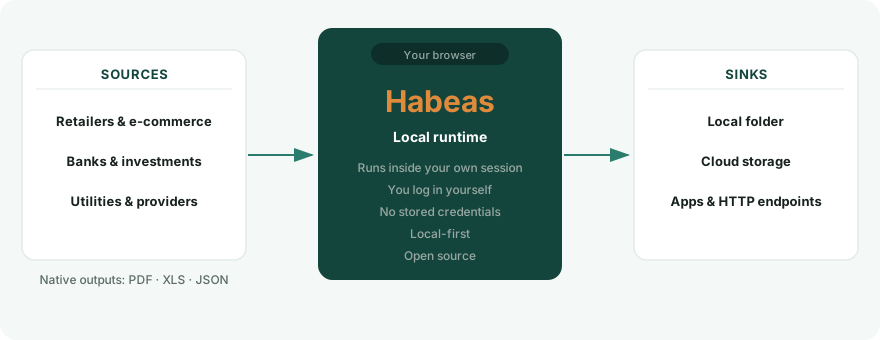
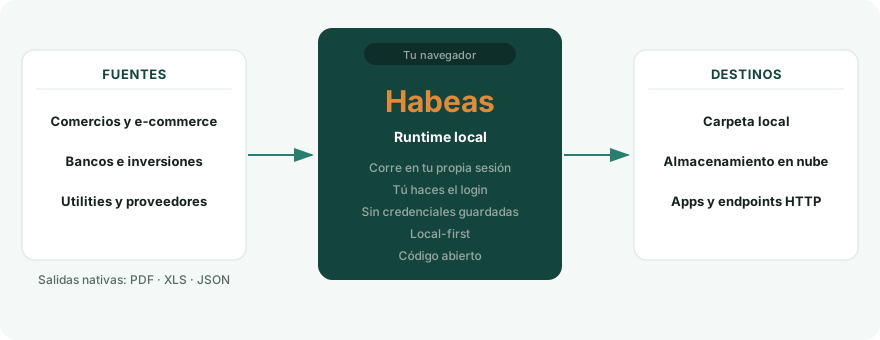
Each source returns its own native documents — PDF, XLS or JSON. Habeas provides a common way to access them without converting or replacing the originals.
Source → Habeas runtime → Sink
Sources: websites holding your data (retailers, banks, providers) Habeas: local runtime inside your browser session Sinks: Folder • Cloud • Apps • HTTPFrom install to saved documents — all inside your own browser session.
Add Habeas, open it, and choose the service you want — a shop, a provider, your bank.
Open the site and sign in yourself; MFA and OTP work as usual. Your password is never seen or stored.
Habeas lists your receipts, invoices or statements and fetches the original files — entirely inside your browser.
Save to a folder or your cloud (Drive, Dropbox, WebDAV, S3), or send to an app. Turn on automatic mode to sync new documents on each login.
Nothing leaves your browser until you choose a destination — and you can read every line of the code.
Each service is described by a small definition file. Add a new service without changing the runtime.
Each source definition covers one service and can be updated or extended without touching the rest of Habeas.
The catalogue grows through community contributions. Every new source definition expands what everyone can access.
If a service you use is not yet in the catalogue, there are three ways to add it — pick the one that fits you.
Record the session in the extension and keep the source private — it never leaves your machine, and neither does your data. No code. You can still choose to share it later.
Send a redacted recording (you review exactly what leaves your browser) to the Habeas team; they finish, verify and publish it — and credit you. No code.
Technical contributors capture the traffic themselves and hand-author the source with any AI plus the repository, verify it offline, and open a pull request. Any service, any complexity.
The first path stays private; the other two grow the shared catalogue for everyone.
Traditional aggregators move the login and scraping to their servers. Habeas does not.
| Traditional aggregators | Habeas | |
|---|---|---|
| Stores your login | Often | Never |
| Remote login | Yes | No |
| Server-side scraping | Yes | No |
| Runs in your own browser | No | Yes |
| Local-first | Rarely | Yes |
One inventory, then choose how to keep it or where to send it.
Save to a folder on your disk — or a Drive/Dropbox-synced one for cloud with zero setup.
Upload natively to Google Drive, Dropbox, or any WebDAV or S3-compatible storage — your own account, only the files Habeas creates.
POST normalized records and PDFs to any endpoint you configure.
Install from the Chrome Web Store or Firefox Add-ons — or grab the raw build from GitHub Releases.
Chrome, Brave, Opera and other Chromium browsers.
Add to ChromeChrome will show a notice that the extension is not trusted. It applies to any developer account recently registered on the Chrome Web Store, it takes a few months to fade, and it says nothing about the code, which you can read in full.
There is some irony in an extension whose thesis is that your data should not depend on an intermediary’s goodwill receiving a mark of distrust from an intermediary that neither explains its criteria nor allows any appeal.
Edge on Windows or macOS — from Edge Add-ons, with no cross-store warning.
Add to EdgeThe same package, straight from the repository — load it yourself, or read it before you do.
Get it on GitHub ReleasesBuild on top of what users already have, without touching their credentials.
AGPL-3.0, built in the open, auditable by anyone, and open to contributions.
Keep your documents under your control.
View on GitHub